Archive for category Visions and technique

Adding pets

Now some people will say during a photoshoot that “pets are not allowed in the studio”, for me however it’s always an option to do something else, because let’s be honest in the end it’s most of the times “model”, “background”, “lights”, “smile/or not” and there we go….


I’m a strong believer in the fact that we can do so much more with a session by adding some props, however never add a prop that doesn’t make any sense. In the case of pets you can have a unique selling point for your customer however, it’s like with children, the images from the client themselves they often like but don’t buy, however if you shoot their children (or pets) they want them all….. so take advantage of this. Now for model/fashion/beauty photography I think adding a pet/animal can lift the shot to a next level. Over the years I’ve shot with snakes, dogs, cats, chickens (yeah really) etc. but when Lenaa asked me if she could bring her “dog” with her during a workshop because the babysitter was not able to sit I never expected her to bring the perfect model.

lenaa 10905-Edit

Read the rest of this entry »

It’s all about expression

Now a lot of people often ask for the magic ingredient for a photoshoot.
Well in al reality I would not know THE magic combination, and that’s a good thing otherwise all photos would look alike :D
However when we look at a successful photo a few things are very important for me.


1. Styling
When you shoot a model in jeans and a tank top you better be a lighting wizard, because there’s nothing going on.
A little bit of styling goes a long way and will lift your shoot to the next level.

 
2. Expression
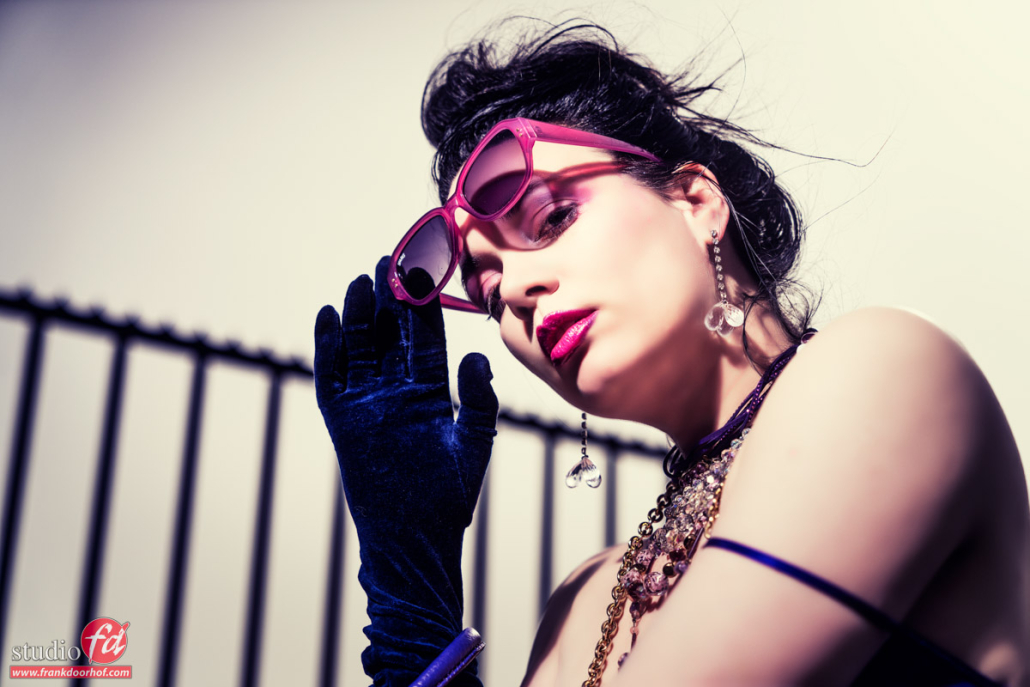
Now this is where it gets tricky, some models just don’t have the expression you want, they can be beautiful but if they appear on the image like they are waiting for the next buss, well it doesn’t make a nice image right? So when I scout my models I will always let them “scream”, “Look intense” etc. and if I go like “WOW” that will be the model I’ll be working with.


Today some images shot with Marie during a small flash demo last week during my book signing demos at CameraNu at Urk where we were working with some expressions. And let’s be honest…. this is much better than just a pretty face :-)

CameraNu strobist april 25-229-Edit

Read the rest of this entry »

Adobe and the cloud

Ok, so Adobe goes Cloud only.
We’ve read a lot of comments, and of course there are negatives and positives, let me give my opinion, and feel free to add or comment (agree or disagree).

Adobe-Creative-Cloud

Let me first take away some questions I read over and over, but do remind that I’m not an Adobe sales person, attached to Adobe or whatever, the answers come from just reading the website and working with the Creative Cloud for a year now.


Q1 : I don’t have access to internet so Adobe sucks…..
There is absolutely no need for internet, you can work just fine without an internet connection, the apps are on your hard drive, the only time you need a connection is for updates (and that was always the case) and once every so often the software wants to check your subscription (probably once a month). We work a lot in situations where I don’t have internet on my laptop and it always works.


Q2: Adobe controls all my work because it’s online, bad Adobe…..
Where do you get that idea?
It’s like facebook and Google+ you don’t HAVE to upload your images, in my case there is not one image online (at the moment), I work just like with previous versions of Adobe software, all on the hard drive, with our upload speed it also would not be a good idea :D


Q3: I’m so angry, I just bought CS6 and now I’m forced into the cloud, while normally I would just skip an update….
Who said that CS6 would stop working?
Adobe is supporting CS6 at the moment, releasing bugfixes etc. but as soon as Photoshop CC will be released in June they will probably stop improving it, like they did with CS5, CS4 and everything before that. Just hang on to your CS6, no reason to switch to the cloud.


Q4: It’s so expensive, and I only use Photoshop.
Then only subscribe to Photoshop….
Buy Lightroom and take a subscription to Photoshop and you’re all set, you’re not forced to subscribe to the whole suite :D


Q5: It’s so expensive, my business will go bankrupt.
Really?
If your business can shelve out 1K+ for a suite at once but cannot pay $50.00 a month for a subscription or $19.95 for one app I think you might be looking into doing something else, if you use Photoshop this means a 0.66 cents per day for the use of Photoshop…..
Let me see you probably spend more on starbucks in 2 days than Photoshop in a month, you probably spend way more on internet OR Xbox live OR HBO OR a sports channel etc. than on renting the whole suite which actually makes you money :-)
Now don’t get me wrong, I also would love to be able to subscribe to the whole suite for $20.00 a month, but that’s not possible and it would probably mean that Adobe would spend less time on R&D and that’s a really bad thing for the software I earn my money with. Now you know I’m always a friendly kind of guy but if your BUSINESS can’t survive because you have to pay $19.95 a month for software I’m afraid it’s no use continuing your business.


Q5A: I’m a hobbyist
Ok in that case I get it, but let’s look at it from this side.
In the past you had to pay a lot of money for the software now it’s a spread out payment over 1-2 years, and don’t get me wrong I understand that it’s a lot of money, but in exchange you’re always up to date, you’re always running software that is supported and you don’t have to shelve out the money at once.


Q6: I’ve had it I’m gonna switch to the competition
With all due respect… but what competition?
And this is probably also where Adobe is getting a lot of heat from, people are frustrated because they probably do realize there is no competition, well at least not for some people. For the hobbyist there are some alternative, for example Pixelmator, Gimp, Paint, Photoshop Elements, Lightroom, Aperture it all depends on what you need and what you want. For the full blown options of Photoshop, all the plugins etc. there is no alternative (or at least not what I found).


Now my responses do seem a bit harsh, a bit Adobe colored, but again let me make 100% clear that I’m not attached to Adobe, I’m not on Adobe’s pay list and I’m sure not being paid for this blogpost. My own response to the whole cloud idea was very positive at first (and still is) for the simple reason that although I earn my money with photography and Adobe products I always had some trouble shelving out 1K+ for a complete suite and several hundreds at once for the upgrades, not that I don’t have the money but it’s always a moment off….. oempf doesn’t CS4 still work…. well ok but I want the new features, and I always lost to myself and upgraded. Now we have the cloud with a fixed fee per month, I can deduct this from taxes and I’m always up to date, I don’t have to worry about updates mid year which makes my old version obsolete for some features etc. I somehow like that idea. But I’m a business. Would I get into the cloud as a hobbyist… well yes for Photoshop, no for premiere. And don’t get me wrong I LOVE Premiere (and if you see what’s coming you love it even more) but FcPx is a good alternative for hobby work (great alternative by the way), so if I was not shooting as a business I would buy Lightroom and “lease” Photoshop meaning my monthly costs would be half of what I pay for my internet access, and I think that’s a pretty sweet deal, especially as a hobbyist I can’t shelve out a lot of money at once for my hobby so why not “lease”, on the other hand….. if I sometimes see what hobbyist pay for L glass, new pro bodies, a third 50mm lens because a review site says it’s 10% sharper in the corners etc. I do wonder…. :D


Now my ideas about the cloud.
1. the whole cloud idea is genius.
All your software up to date whenever you want it, as soon as there is a small update or a new camera out there it can be updated right away. The interaction between devices should work a lot better when you use the cloud etc.


2. switching to subscription only…. Happy with that one.
If you (like me) need Premiere and Photoshop I’m paying a subscription that for a company is doable, I can use it on two machines (make that 4 and I’m happier) and I’m always up to date…… however.


3. switching to subscription only Part II…. Not so happy with that one.
Pricing is higher than before (considering full price and full suite), BUT that’s understandable, it’s a different concept with also a big advantage… when you only need Photoshop you can only subscribe for Photoshop, or only Premiere, and that’s amazing option, although I think it should be a bit cheaper because there is no more media to ship around, what I don’t like is that if I don’t have the money anymore to pay my subscription I’m stuck with….. nothing, not an old version, not a version that will still work… nothing.


What would be a good option?
And remember it’s just me, I don’t know if Adobe would listen to me but “hey who knows” :D
I would have no problem with a system where you take a 2 year subscription and only with that subscription you own the software that you are using at the end of your subscription, if you continue for a year or a month or whatever after that, that’s ok but after that initial 2 years you will own the software so if you stop paying Adobe will freeze your software versions and you can still work with it.


Take a new subscription and you can work with the newer versions.
This way you are not “forced” into the cloud and subscriptions
Let’s say you decide to stop paying for example for Premiere because you are switching to Avid or FcPX, in the present setup you would never be able to open your old projects anymore, with the 2 year/freeze system you would at least be able to open your old work.
Overall I think it’s exciting to see what Adobe is doing, it’s also without any doubt pushing away some customers, especially people who don’t have the budget for subscriptions, but are able to buy the software once and use it for some years (a lot of my students still work with PS CS4).


What’s your idea ?

X-rite webinar online

Last week I taught a free webinar for our friends at X-rite.
Today you can find the link to the webinar here :


http://www.xritephoto.com/ph_learning.aspx?action=webinarsarchive&eventid=1501&eventdateid=5526Safari 2

Tags: , , , , ,

add some speeeeeed

As you know I’m always carrying a camera, this way it’s always possible to take a picture.
The best way I heard this described was actually by Jay Maisel who said “If you don’t have your camera with you it becomes incredibly difficult to get the shot”. Most of the times you will see yourself shoot in situations that are not the run of the mill locations or situations and sometimes this gives you some amazing shots. I do have to be honest that the following shot I did not take myself, I was driving and asked Annewiek to take the shot the way I wanted it, a bit of the hood of the car and a slightly longer shutterspeed, this way we captured the speed effect I think pretty nicely.


Always remember that when you shoot something with motion in a forward moving vehicle that you will see a sort of “stretch” effect, this effect is something that I LOVE to use in tunnels etc. as you can see here.

April 11 2013 Fuji Door Annewiek (47 of 72)-Edit

Tags: , , ,

Fleamarket

Now a lot of people ask me how I became interested in street photography.
Well indeed it’s a bit different from the fashion work we do, but I think it also has a lot of similarities, in my street photography I always try to get the story, the feeling, the tension or movement, Jay Maisel for example calls it Gesture, I call it…. well after hearing that also Gesture :D (who can argue with Jay right?)


Finding that special thing, that special feeling is something that I try to do in both my fashion work and streetphotography, in my opinion that’s what sets the snapshot apart from the street photography. Now let me make clear that I only do streetphotography as a hobby and no way claim to be a pro at it, however over time I did find some things that I think can be very interesting for someone starting out with this kind of photography.


One of the most asked questions is always “Where to go?”
Well if you live in a city like New York that’s not hard, it’s a circus coming into town 24/7/365 it’s just not fair, but if you live somewhere else (like most people) some cool places are always close, let’s for example look at some images I took at a standard flea market.

April 12 2013  (6 of 53)-Edit

Read the rest of this entry »

Tags: , , , , ,

Ooh that hair

We all have it,…. well at least most of the models :-)
But what to do with it?
Some will just put in a ponytail, others will let it hang, some will color it etc.
But we as photographers can be much more creative of course…..
The following images were shot during the Studio Technique I workshop from last week with our new model Loes (this was her first workshop) and I just decided to let her play a bit with her hair. We started out simple.

Loes April 5 2013- April 05, 2013 - 61-EditNow I have to be honest, this is already one of my favorite shots, but when she started to play more…. well you will see what I mean.

Read the rest of this entry »